Available on the Chrome Web Store. Version 0.8.0 verified October 25, 2026. Install the extension, then connect it from your Resumr workspace.
Product information updated October 25, 2026
Version 0.8.0 product previews using sample data. Resumr Companion is now available on the Chrome Web Store; the listing shows the currently published version.
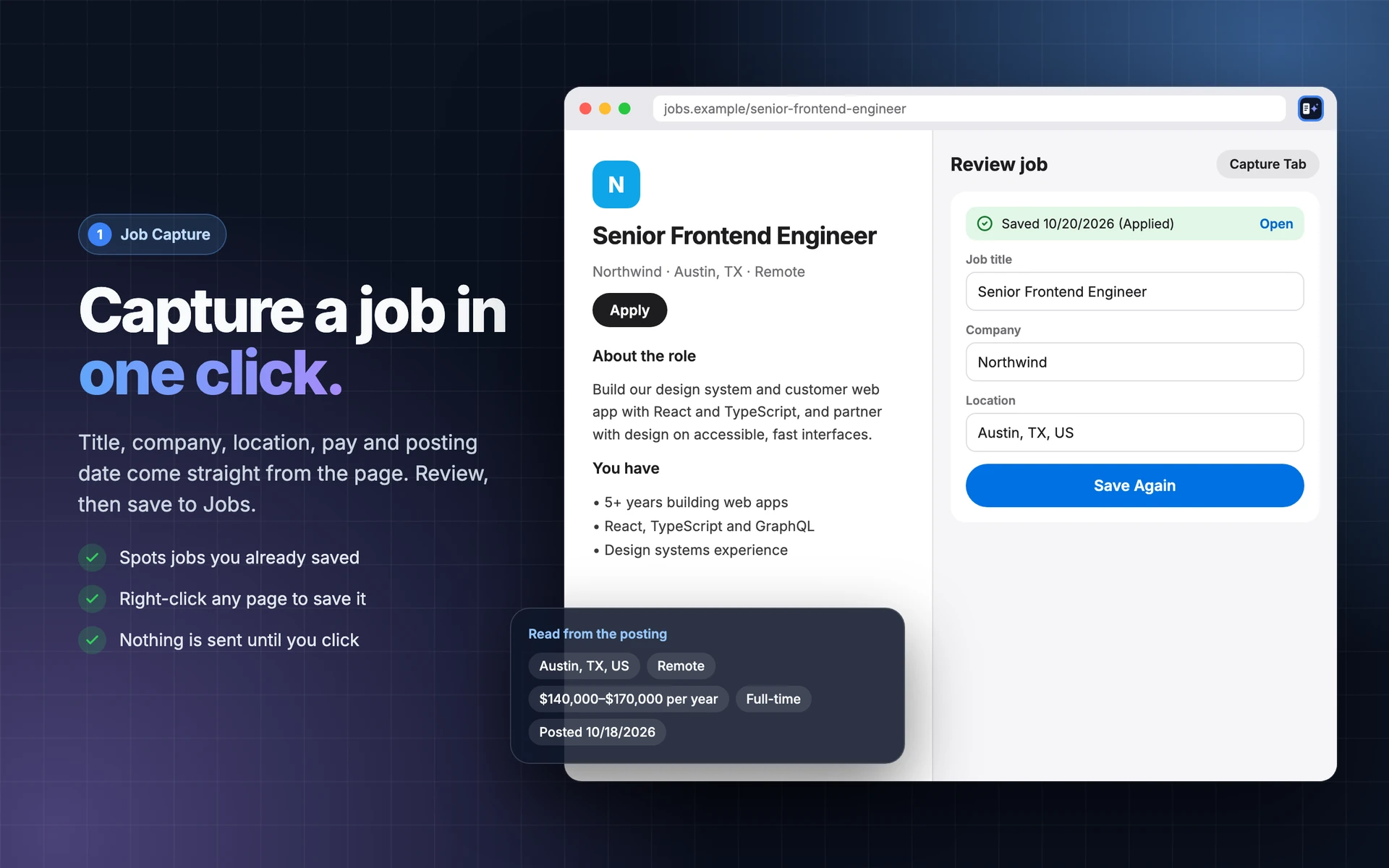
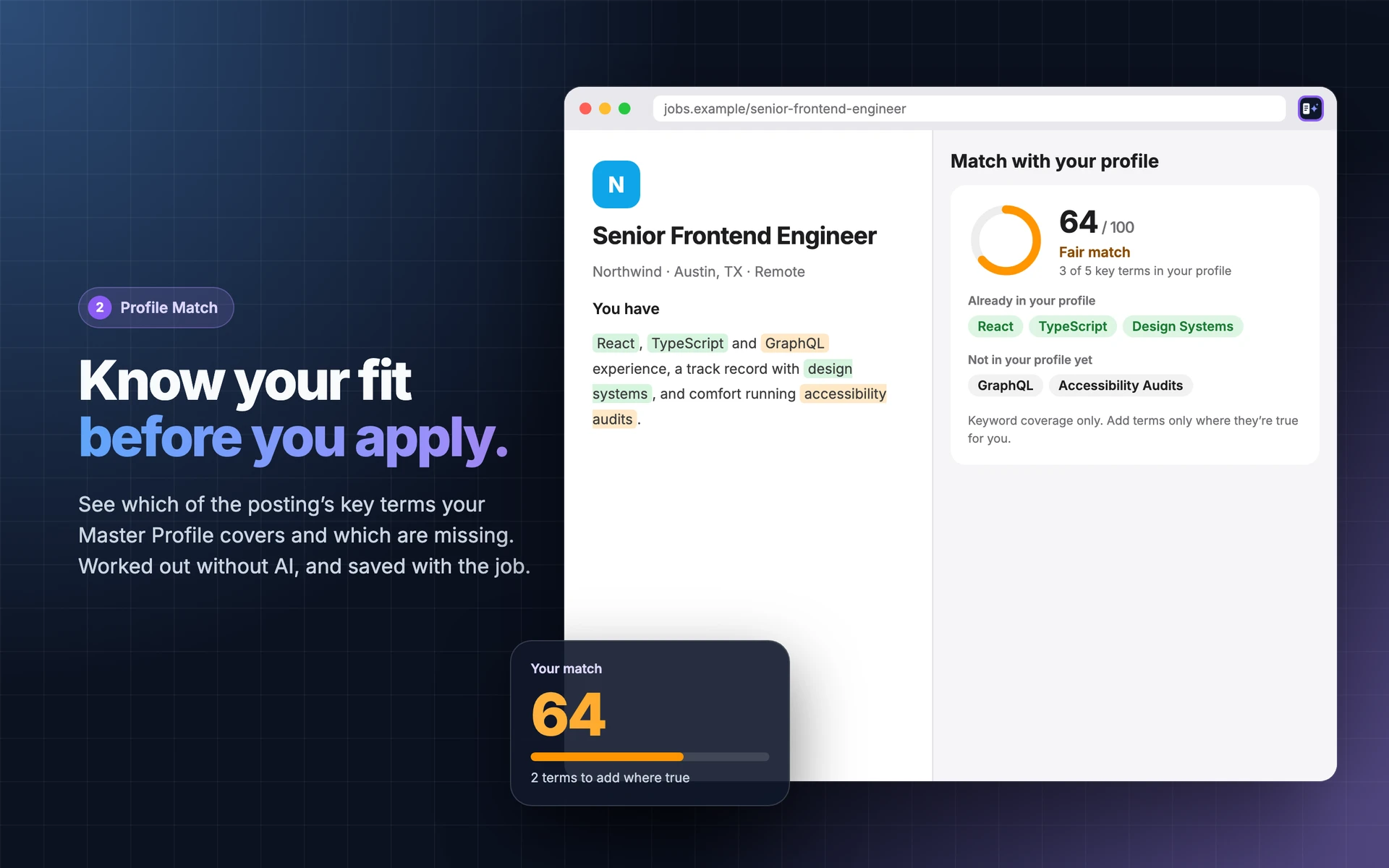
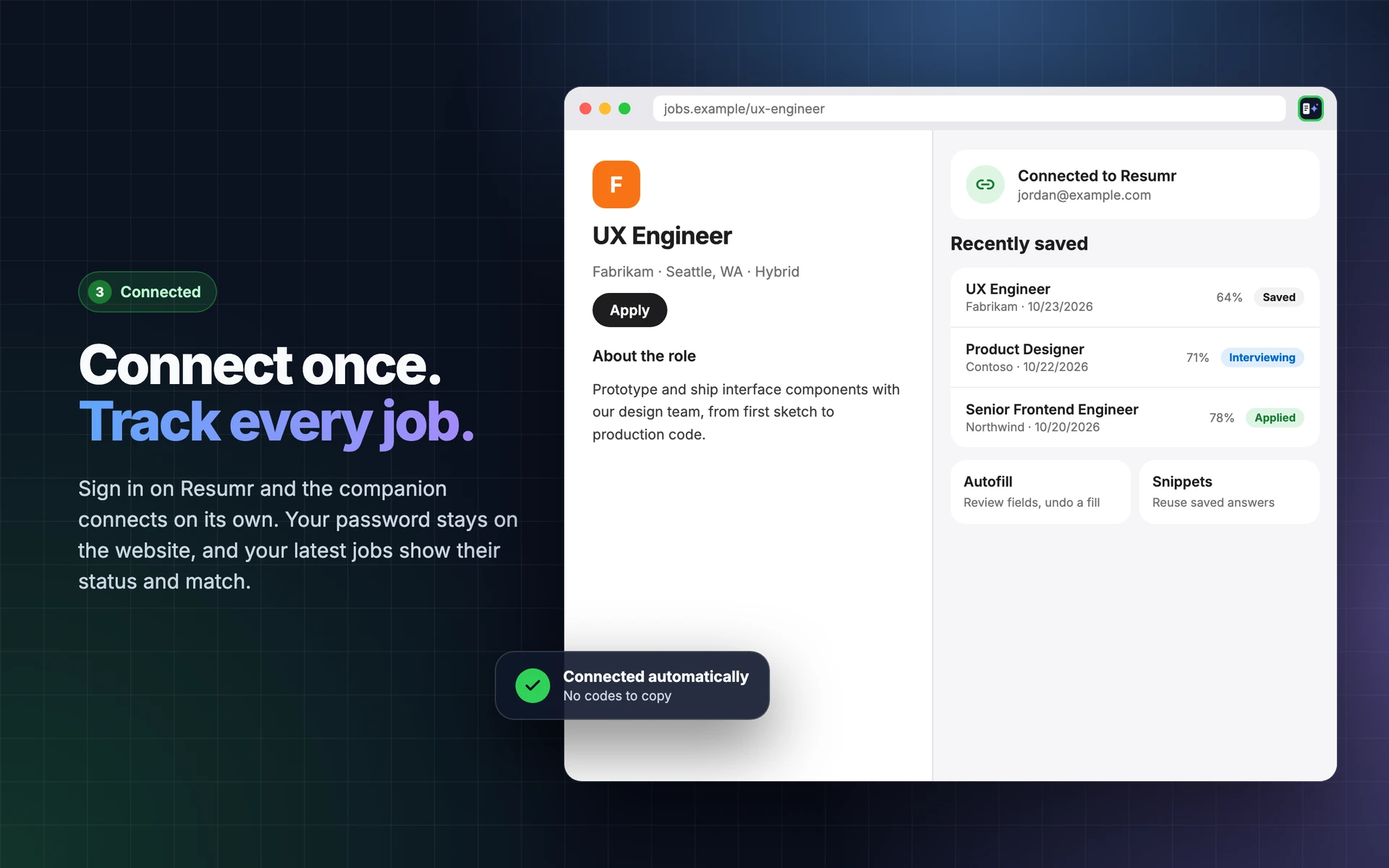
Capture a JobReview extracted job details before saving.Master Profile MatchReview matching and missing terms against your connected profile.Connected JobsRecent jobs, application status, and saved match scores.
Built for Your Browser
Resumr Companion brings your connected career workspace into Chrome. Capture job details from structured postings and 18 job-board adapters, review every field, compare the posting with your Master Profile without AI, and see recent saved jobs and match scores. Keep your own answer snippets nearby and fill only the contact fields you approve. Applications are never submitted for you.
Smarter Job Capture
Capture the details that matter, not just a page title.
Combines JobPosting structured data, 18 job-board adapters, and page fallbacks. Detects title, company, location, description, pay range, job type, remote/hybrid/on-site arrangement, seniority, experience, and posting date when the page provides them. Review and edit before saving.
Reviewed Contact Autofill
Choose the contact fields you want to fill.
Review your name, email, phone, and website. Existing answers and sensitive questions are skipped, and the companion never submits the form.
Master Profile Match
See which job terms your connected Master Profile covers.
An explicit check sends the job description to Resumr, which compares it with your stored profile using deterministic matching, not AI. Review matching and missing terms; a score is saved when you save the job. This is guidance, not a hiring prediction.
Answer Snippets
Keep your own reusable writing close to the application.
Save, edit, search, and copy snippets. Import or export your local snippet library in JSON or CSV.
Connect Once
Connect this browser from your Resumr workspace.
The companion can save jobs and read your basic contact details. Disconnect the browser from Resumr or the companion at any time.
Side Panel and Popup
Work beside the page you are reviewing.
Use the side panel or popup. Undo the last fill within five minutes on the same page while preserving answers you have edited afterward.
Saved-Job Awareness
Recognize postings you have already saved.
A previously saved job shows its saved date and status. Recently Saved lists your last ten jobs with application status and match score, so you can return to the right record.
Capture from the Context Menu
Save the page or selected job text without losing your place.
Use the browser context menu for a page or selection, then review the captured information in Companion. Richer board-specific extraction supports LinkedIn, Indeed, Greenhouse, Lever, Workday, Ashby, SmartRecruiters, Glassdoor, Workable, ZipRecruiter, iCIMS, Jobvite, BambooHR, Built In, Wellfound, USAJobs, Monster, and Dice.
Extension Details
Browser
Chrome 120 or later
Version
0.8.0
Latest Build Update
October 24, 2026; smarter job capture
Store Status
Available on the Chrome Web Store
Published Update
October 25, 2026; version 0.8.0
Account
Resumr account required for job saving and contact access
Forms
Standard contact fields; custom ATS controls and uploads require manual entry
Your Data
Capture reads the page or selected text you explicitly choose. Saving sends the reviewed posting to Resumr.
A requested profile-match check sends the job description to Resumr to compare with your stored Master Profile; it does not call an AI provider.
A connection token, answer snippets, and appearance preferences are stored in this browser. Disconnect to revoke access.
Contact details are retrieved from the connected account for fields you review. The companion never submits an application.
No browsing-history collection, advertising, or analytics in the companion.
Resumr Companion is available from its official Chrome Web Store listing.
The INDR product page and Resumr setup page remain available separately.
0.8.0 - Capture Update
October 24, 2026
Field-by-field extraction from structured data, 18 job boards, and page fallbacks.
Richer work arrangement, salary, seniority, experience, and date detection.
Connected Master Profile matching, saved-job awareness, and recent-job status.
Updated service privacy documentation for the browser companion.
Questions
Is It in the Chrome Web Store?
Yes. Use Add to Chrome on this page to open the official Resumr Companion listing. Version 0.8.0 was verified on October 25, 2026. Connect to Resumr opens the separate account connection and setup page.
Does It Submit Applications?
No. It can fill selected standard contact fields after your review, but submission, file uploads, custom controls, sensitive answers, legal terms, and CAPTCHA challenges remain manual.
Does It Read My Browsing History?
No. Capture operates on the page you choose. The companion does not collect your browsing history or read other tabs in the background.
How Does Profile Matching Work?
When you request a check, Companion sends the posting description to your connected Resumr service. Resumr compares key terms with your Master Profile without AI. Saving a job can also save its match score.
Which Job Sites Are Supported?
The current build combines structured job postings, 18 board-specific adapters, and general page fallback. LinkedIn, Indeed, Greenhouse, Lever, Workday, and Ashby are among them. Extraction varies by page, so always review the result.
Privacy controls
Choose how INDR uses cookies.
INDR uses required storage for security, consent, and accessibility preferences. Optional analytics can help us understand aggregate site usage if analytics are added.
NecessaryRequired for security, consent storage, and accessibility preferences.