Tab Health and Clean Up
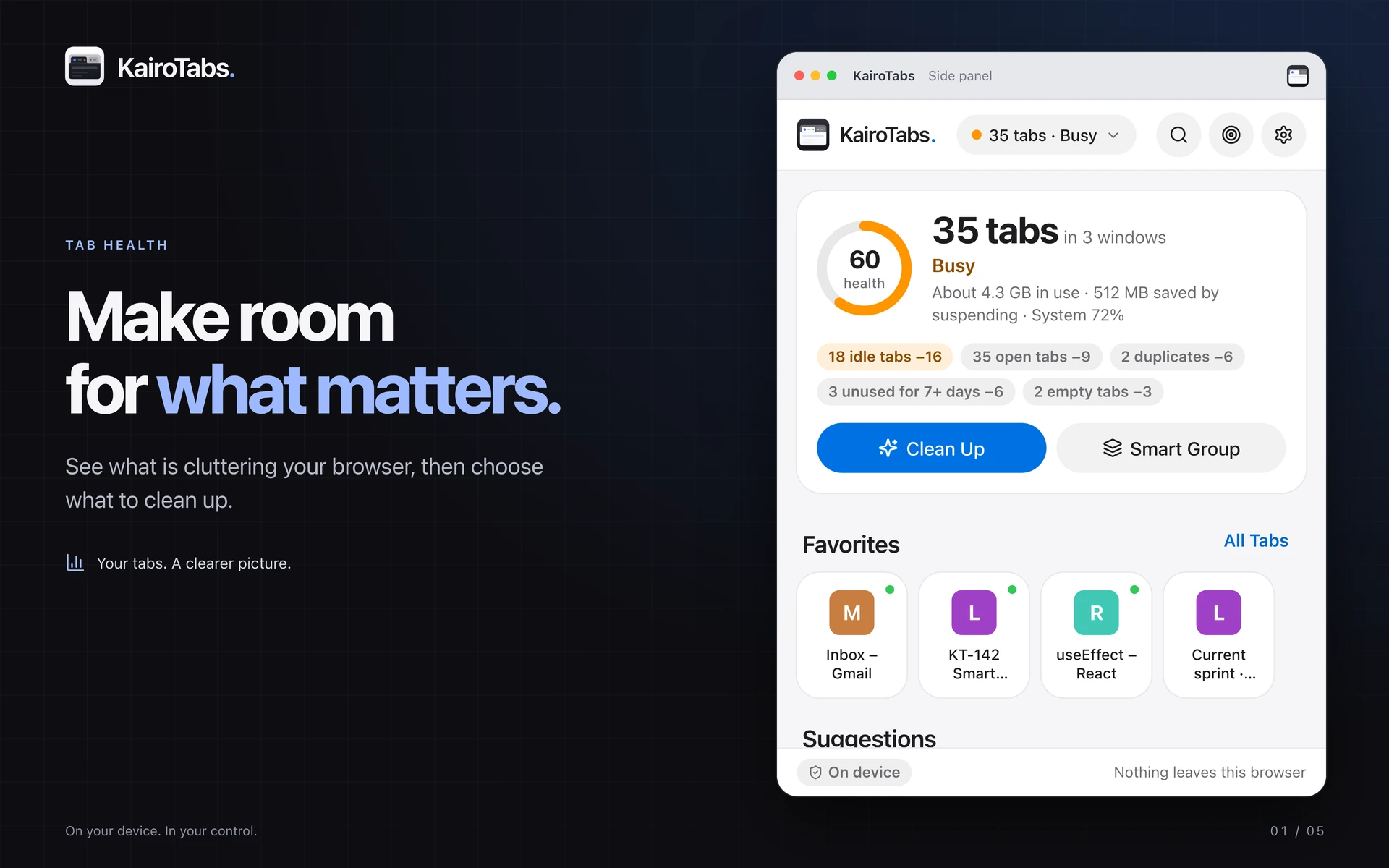
See what is contributing to browser clutter.
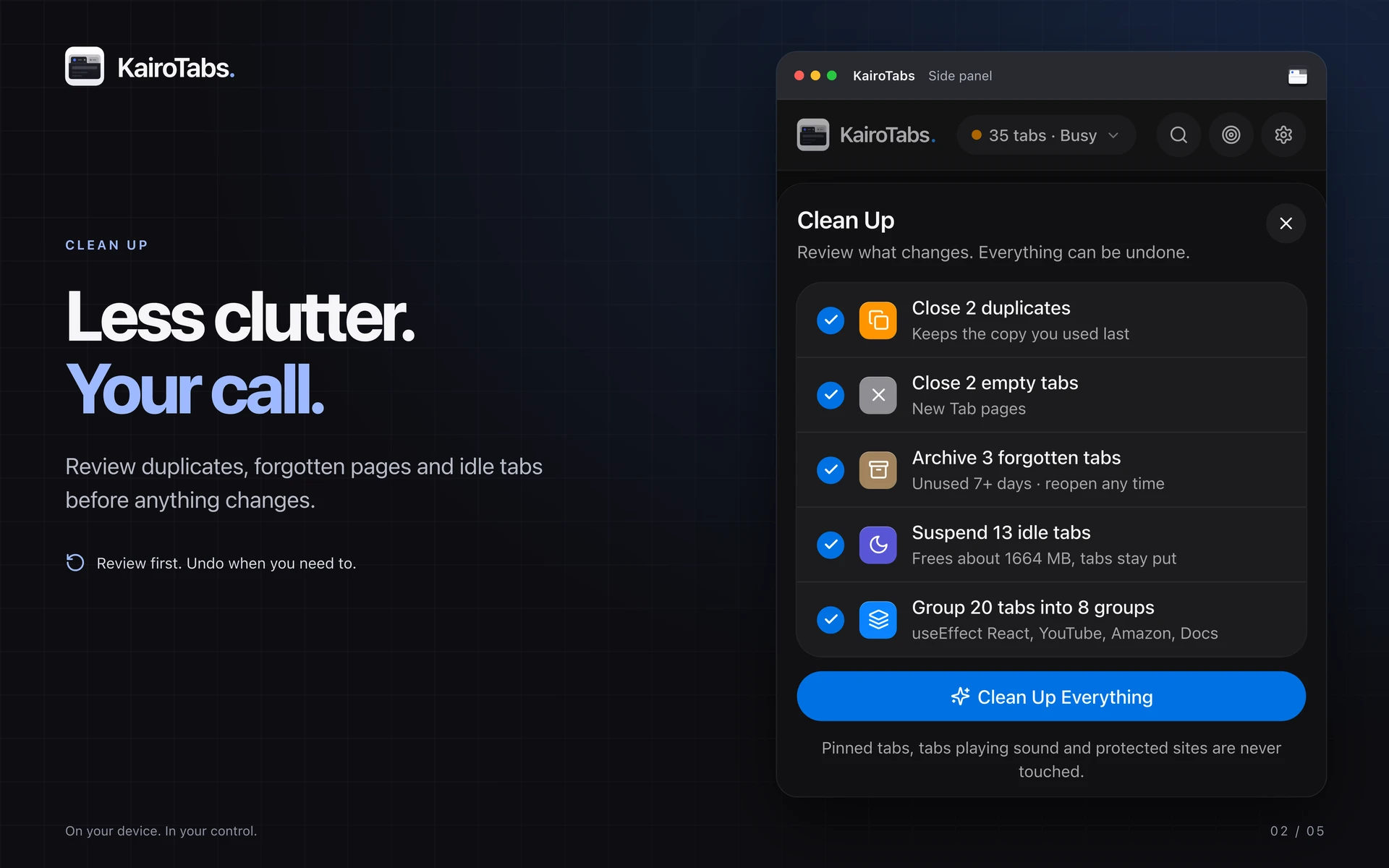
Review ranked suggestions and a clean-up plan before applying changes. Important tabs are protected from automated clean-up.
Chrome Extension
Fewer Tabs. Less Clutter.
Find tabs, review duplicates, and stay focused. Preview the new 3.0 workspace with cleanup plans, favorites, sessions, and local insights.
Chrome Web Store version 1.0.0 verified October 25, 2026. The features and screenshots below preview the prepared 3.0.0 update, which is not yet verified as published.
Product information updated October 25, 2026
Prepared 3.0.0 update: refreshed October 24 store artwork rendered from the real extension interface. These screens are newer than the currently published 1.0.0 store version.
KairoTabs organizes your browser from Chrome's side panel. Review tab clutter, clean up duplicates, group related pages, save sessions, and put distractions aside while you focus. Tab information and usage insights stay in your Chrome profile, without an account or remote analytics.
See what is contributing to browser clutter.
Review ranked suggestions and a clean-up plan before applying changes. Important tabs are protected from automated clean-up.
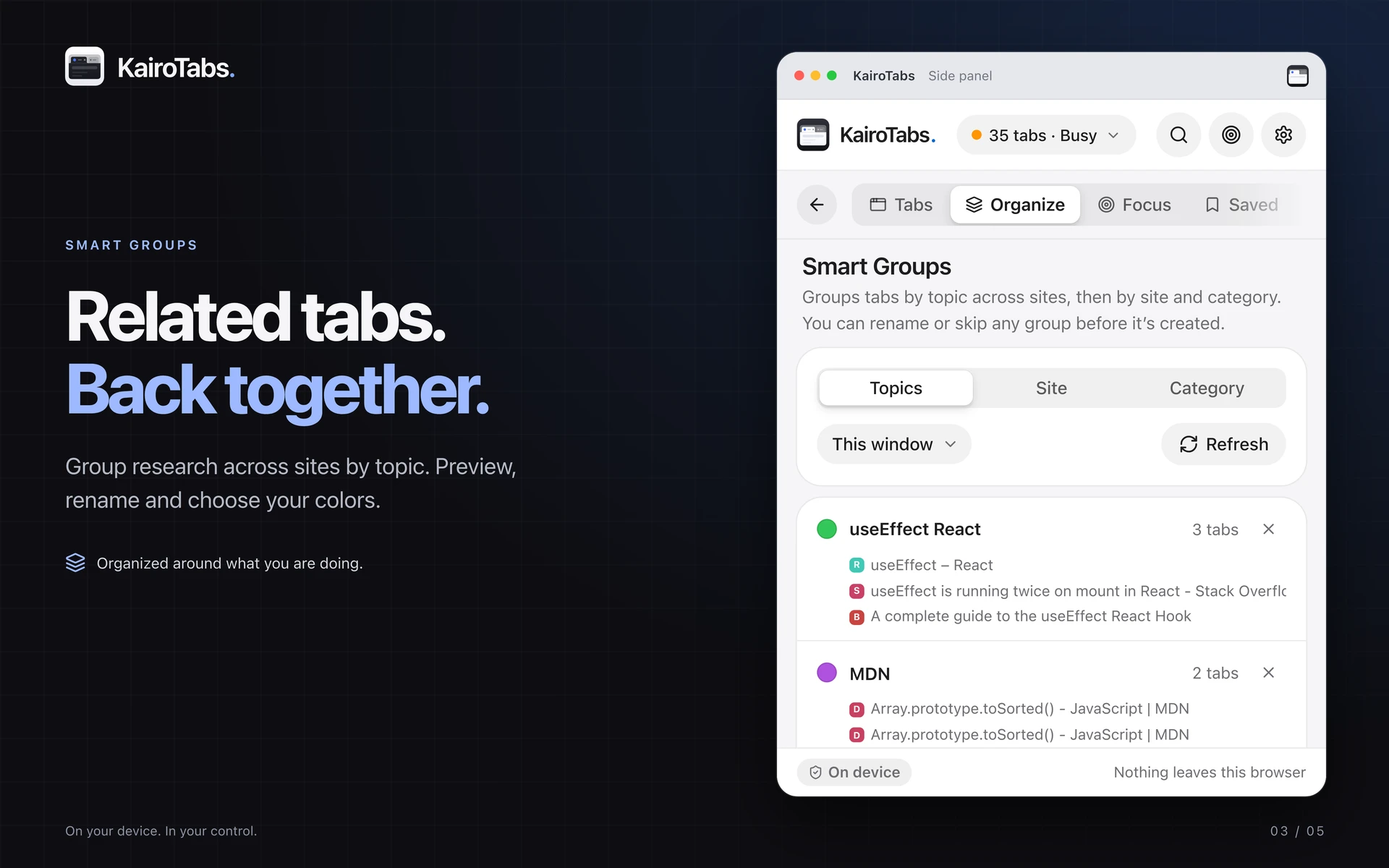
Find repeat pages and organize related tabs.
Review duplicate matches and proposed groups by topic, site, or category before changing your windows.
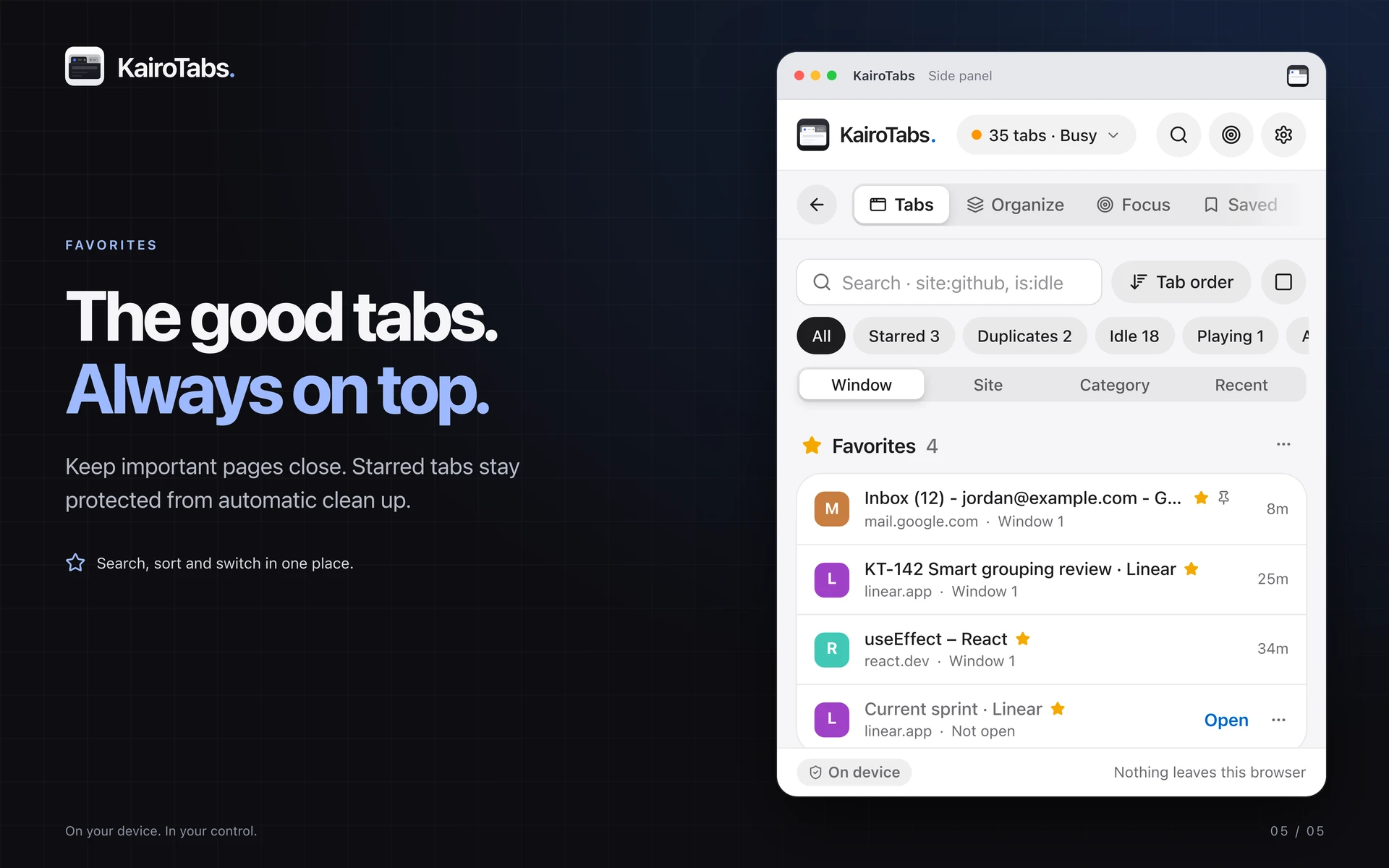
Keep the tabs you return to close at hand.
Star important pages, keep favorites above other tabs, reorder them, and reopen a favorite after closing its tab. Favorites are protected from automatic cleanup.
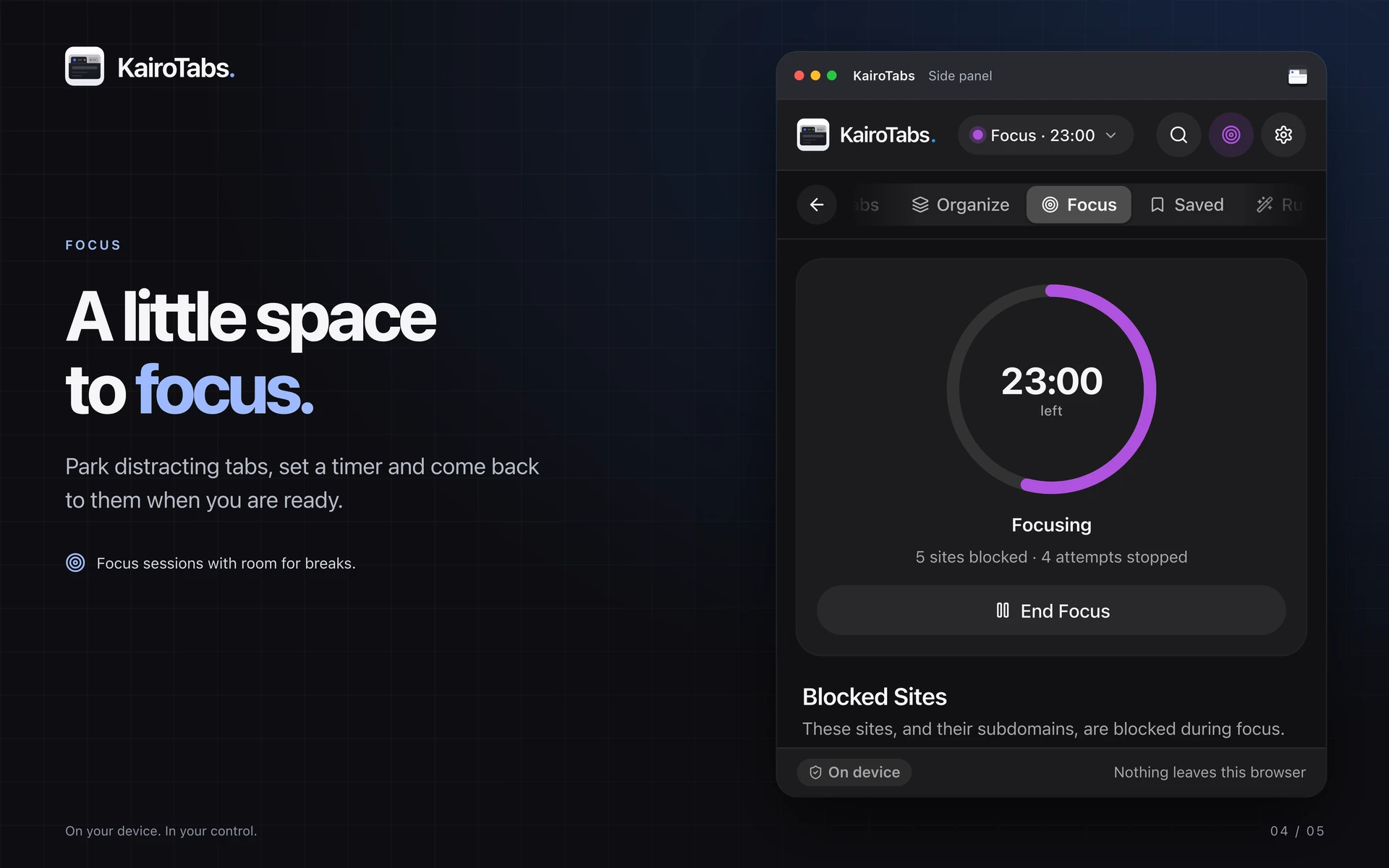
Set aside distractions during focused work.
Use a focus timer, site block or allow lists, breaks, and schedules. Your focus information stays on your device.
Keep pages for later without leaving every tab open.
Save sessions with tab groups, snooze pages, browse your archive, and reopen recently closed tabs.
Understand your tab habits and choose your own automations.
See local site-use and tab activity statistics. Configure grouping, suspension, archive, and tab-management rules.
Find a page across all your windows.
Search titles and URLs; filter by site, tab state, category, or group; and sort by last used, age, title, or site. Keyboard shortcuts and the kt address-bar command provide quick access.
Keep important work out of automatic cleanup.
Automatic cleanup protects active, pinned, playing, and starred tabs as well as your protected sites. Review the proposed plan and undo supported changes. Memory numbers are estimates, not measured RAM per tab.
Set up a comfortable workspace and keep control of your data.
Choose light or dark appearance, accent colors, and comfortable or compact spacing. Export your extension data or reset local data from Settings.
October 24, 2026
March 16, 2026
Use the Chrome Web Store link on this page. Version 1.0.0 is publicly listed as of October 25, 2026. This page previews the prepared 3.0.0 build; its features are not a claim that the store update has been published.
No. Tab management and insights run in your Chrome profile. The developer does not receive your tab data.
Yes. Settings includes export and reset controls, and saved items can be deleted. Exported files may include saved URLs, titles, settings, and local statistics.